Free shipping · same-day processing before 4:15pm PT
Sorry, this unit has been discontinued and is no longer available for purchase, replace by WatchGuard AP130.End of Sale (EOS): 01 May 2022. End of Life (EOL) for the WatchGuard AP225W is 31 Dec 2026 - you will not be able to receive support after this date even with a 1 Year contract.
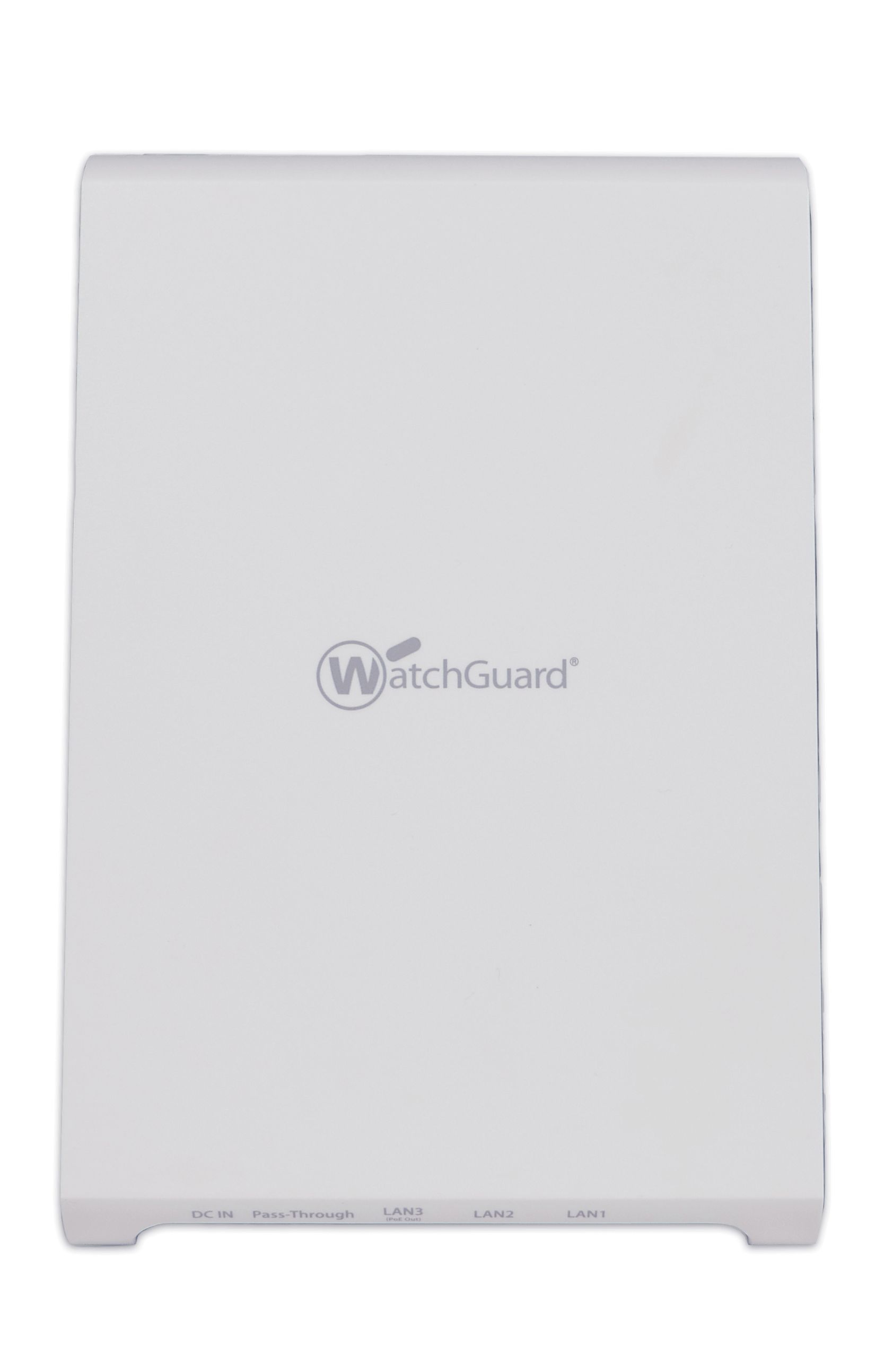
Today’s users demand fast and secure Wi-Fi connectivity no matter where they are. When you have a building full of demanding Wi-Fi users, you need a simple way to manage, monitor, and troubleshoot issues whenever they arise. When you manage the AP225W wall plate access point in the Wi-Fi Cloud, you have access to a complete set of Wi-Fi visibility, troubleshooting, and network health features. Discover the answers to happy Wi-Fi users and productive IT with the AP225W.
The AP225W enables you to create an affordable Trusted Wireless Environment in multi-dwelling unit (MDU) structures such as dorm rooms, shared office spaces, smart apartments and condos, assisted living, military housing units, and hotels. It is built for the most demanding Wi-Fi users in mind.
Uniquely Effective Approach to Security
The AP225W supports the only Wireless Intrusion Prevention System (WIPS) in the industry with high accuracy in classifying access points and client devices, properly enabling automatic prevention of Wi-Fi threats and keeping a network protected from wireless man-in-the middle attacks, evil twins, honeypots, and more.
Flexible Management Options
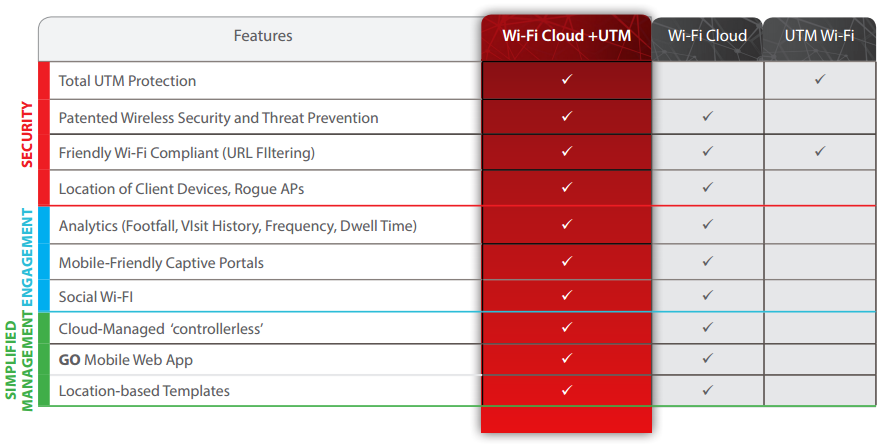
You can manage the AP225W with either a Firebox, via the Gateway Wireless Controller and receive a lightweight feature set, or with WatchGuard’s Wi-Fi Cloud. With the Wi-Fi Cloud you get an expanded set of features including patented security, marketing tools, and location-based analytics for optimal business insights. IT pros can also enjoy an entirely controller-less Wi-Fi management experience including setup, con-figuration, monitoring, troubleshooting, and improved corporate and guest Wi-Fi access, without worrying about the limitations of legacy controller infrastructure. Wi-Fi Cloud en-vironments easily scale from one to an unlimited number of access points across multiple locations. Access points can be grouped in many ways including location, building, floor, and customer to maintain consistent policies.
Intelligent Network Visibility and Troubleshooting
Wi-Fi Cloud helps IT professionals confidently provide answers to the most challenging Wi-Fi network questions, bringing the most complete set of Wi-Fi visibility, troubleshooting, and network health features ever introduced to the market. Pinpoint meaningful network problems and application issues by seeing when an anomaly occurs above baseline thresholds and remotely troubleshoot.*
Features & Benefits
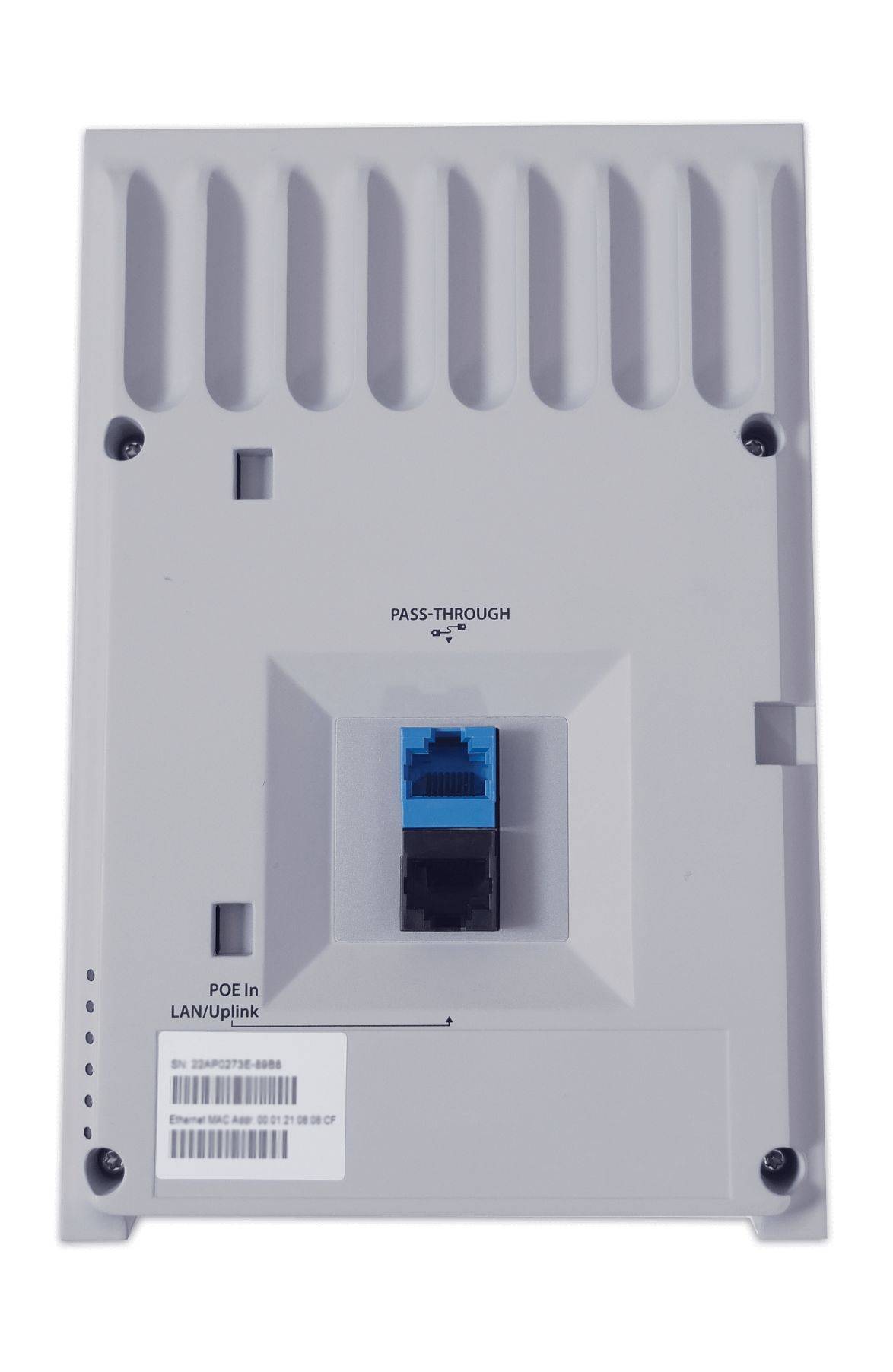
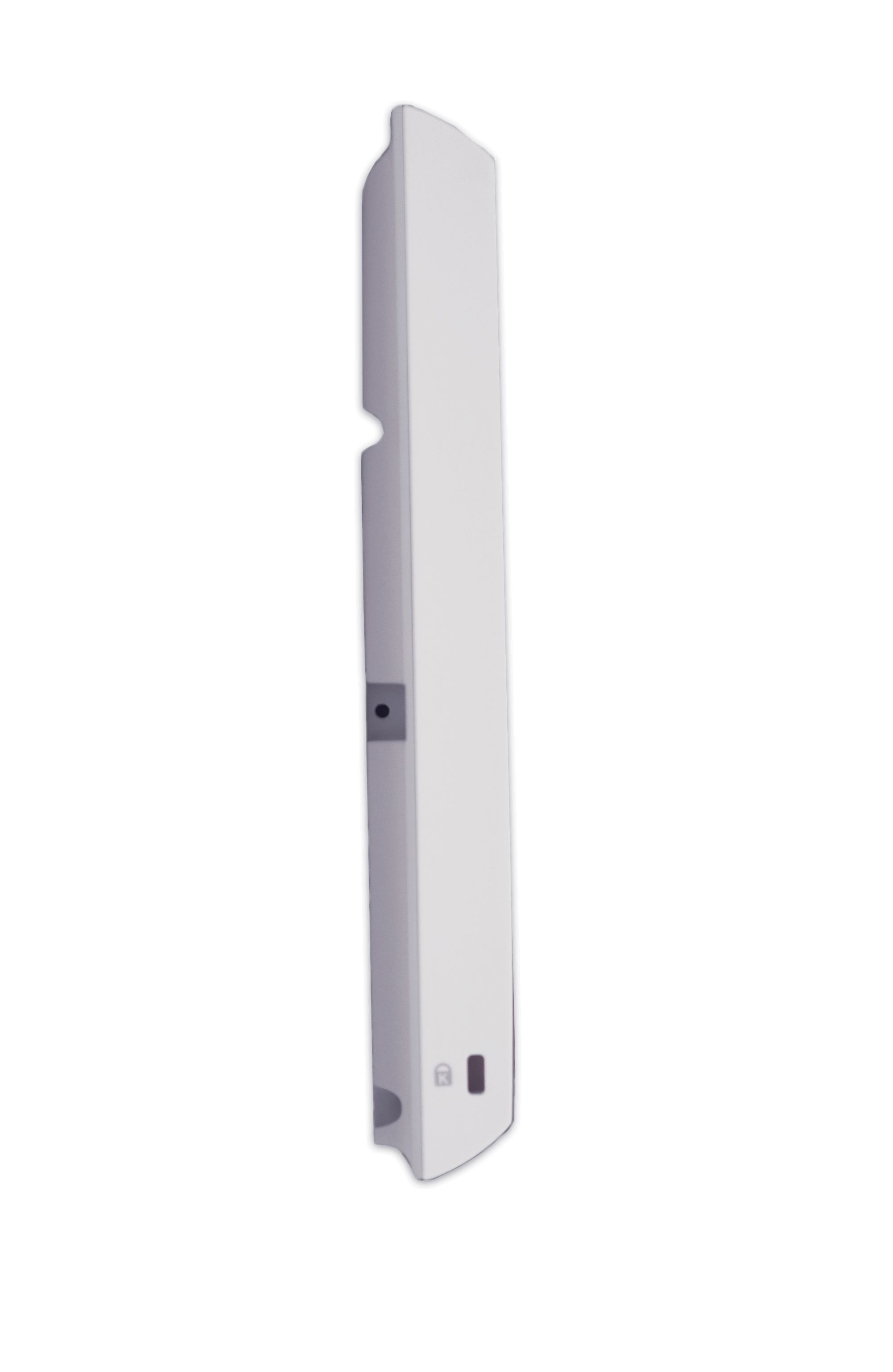
Sleek, low-profile design mounts onto a standard wall junction box
Location-based analytics* let you analyze Wi-Fi usage with foot traffic and dwell time with customizable reports for automated delivery to your inbox
Third radio used as a dedicated WIPS security sensor protects your airpace 24x7x365
Takes less than two minutes to acti-vate and configure after connecting to the Wi-Fi Cloud
Support for up to eight individual SSIDs per radio allows for maximum flexibility in network design
Application firewall for over 1,900 applications*, network connec-tion, and performance anomaly detection
Continues to scan for wireless threats and enforces security policy even if the connection with the Wi-Fi Cloud is interrupted*
*Must have Wi-Fi Cloud enabled with Secure Wi-Fi or Total Wi-Fi license.
Flexible Deployment Options:
WatchGuard offers three deployment scenarios to meet the needs of SMBs and distributed enterprises. Add an AP120 or AP320 to an existing Firebox UTM-protected network to extend that protection to the WLAN, while managing the device with the Firebox’s built-in gateway wireless controller. For full Engage and Analyze features, WIPS protection, scalable management and so much more in a stand-alone deployment, choose our Wi-Fi Cloud option. And for ultimate peace of mind, rely on a Firebox UTM-protected network with WatchGuard Wi-Fi Cloudmanaged APs to realize the full marketing and security potential of a cloud-managed access point solution.
Wi-fi Solution:
WatchGuard has you covered, indoors and out
No matter what your wireless battleground is – remote offices, guest Wi-Fi, corporate access, public hotspots, outdoor environments – WatchGuard has a range of access points to fit your business needs. WatchGuard’s Wi-Fi packages allow you to quickly and easily find the right set of features your business needs today…and tomorrow.
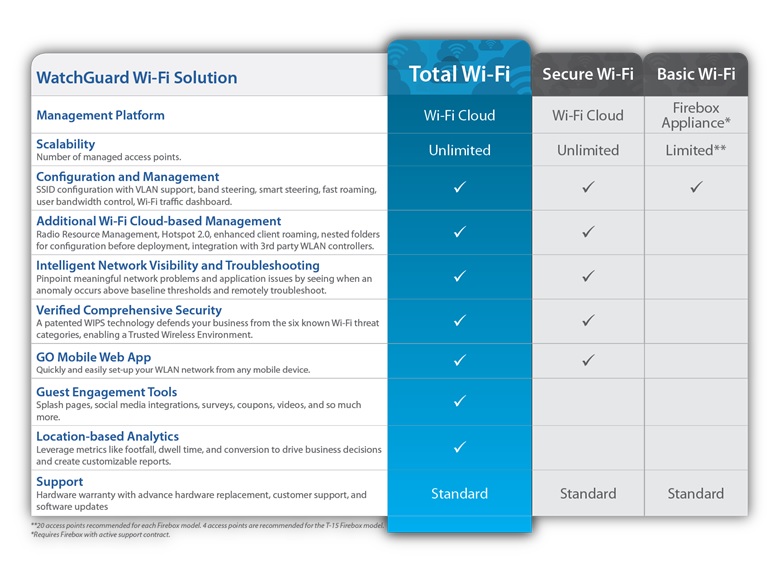
WatchGuard Wi-Fi Solution
Total Wi-Fi
Secure Wi-Fi
Basic Wi-Fi
Management Platform
Wi-Fi Cloud
Wi-Fi Cloud
Firebox Appliance*
Scalability
Number of managed access points
Unlimited
Unlimited
Limited**
Configuration and Management
SSID configuration with VLAN support, band steering, smart steering, fast roaming, user bandwidth control, Wi-Fi traffic dashboard.
Additional Wi-Fi Cloud-Based Management
Radio Resource Management, Hotspot 2.0, enhanced client roaming, nested folders for configuration before deployment, integration with 3rd party WLAN controllers.
Intelligent Network Visibility and Troubleshooting
Pinpoint meaningful network problems and application issues by seeing when an anomaly occurs above baseline thresholds and remotely troubleshoot.
Verified Comprehensive Security
A patented WIPS technology defends your business from the six known Wi-Fi threat categories, enabling a Trusted Wireless Environment.
GO Mobile Web App
Quickly and easily set-up your WLAN network from any mobile device.
Guest Engagement Tools
Splash pages, social media integrations, surveys, coupons, videos, and so much more.
Location-Based Analytics
Leverage metrics like footfall, dwell time, and conversion to drive business decisions and create customizable reports.
Support
Hardware warranty with advance hardware replacement, customer support, and software updates
Standard
Standard
Standard
*Requires Firebox with active support contract.
**20 access points recommended for each Firebox model. For the T-15 Firebox model 4 access points are recommended.
No need to rip and replace, just add WIPS
Each WatchGuard access point has the flexibility to operate as both an access point and a dedicated WIPS security sensor. This means that when deployed as dedicated WIPS sensors, the devices work with your existing access points (Cisco, Aruba, Ruckus, Ubiquiti, etc) and add enterprise-grade wireless security protection to your network. In this case, instead of delivering secure Wi-Fi traffic to users, we deliver unprecedented WIPS security protection that is 100% dedicated to scanning the air and protecting your business from wireless threats.
In a world with growing open Wi-Fi networks, Wi-Fi hackers are able to not only steal personal information but also spread malware to computers on the network, costing your businesses millions. Simply put, the Wi-Fi system that you installed seven years ago is no longer adequate. As you face the responsibility of evolving your Wi-Fi networks, you’re finding that many vendors do not enable you with the right products. WatchGuard is the only company that offers a framework for building a complete Wi-Fi network that is fast, easy to manage, and most importantly, secure. Companies that offer a Trusted Wireless Environment deliver on these three core pillars:
Market-Leading Performance: You should never be forced to compromise security to achieve the necessary performance to support your environment with the speed, connections and client density that it needs.
Scalable Management: With easy set-up and management, you should be able to control your entire wireless network from a single interface and execute key processes to safeguard the environment and its users.
Verified Comprehensive Security: You need proof that the security solution that defends your business against Wi-Fi attacks can deliver on the following benefits:
Provide automatic protection from the six known Wi-Fi threat categories
Allow legitimate external access points to operate in the same airspace
Restrict users from connecting to unsanctioned Wi-Fi access points
The Six Known Wi-Fi Threat Categories That Leave Your Business Vulnerable
Rogue Access Point
Allows attackers to bypass perimeter security.
Rogue Client
Delivers malware payloads to the network after connecting to malicious APs.
Neighbor Access Point or Client Misassociation
Risks infection from connecting to other SSIDs while in range of the authorized AP.
Ad-Hoc Network
Uses peer-to-peer connections to evade security controls and risk exposure to malware.
"Evil Twin" Access Point
Lures users to connect to it so as to spy on traffic, steal data and infect systems.
Misconfigured Access Point
Opens networks to attack as a result of configuration errors.
Additional Resources
Solution Brief - Trusted Wireless Environment
Don’t let Wi-Fi be your biggest security gap. Hackers prefer to go after the weak link in the security chain and it doesn’t take much to hack into the Wi-Fi network using easily accessible tools and a plethora of online how-to videos. What’s worse – your business networks become compro-mised due to malware implanted and credentials stolen over Wi-Fi, and it can cost millions in fines and breach remediation expenses to fix.
MARKET-LEADING PERFORMANCE
SCALABLE
MANAGEMENT
COMPREHENSIVE SECURITY
Don’t Let Wi-Fi Be Your Biggest Security Gap
In 2017, there were 8.4 billion connected devices and the volume is expected to hit 20.4 billion by 2020, according to analyst firm Gartner. Hackers prefer to go after the weak link in the security chain and it doesn’t take much to hack into the Wi-Fi network using easily accessible tools and a plethora of online how-to videos. Even the most rookie hacker can intercept traffic flowing over Wi-Fi and steal valuable data from your smartphone, tablet, smartwatch, or laptop. What’s worse - your business networks become compromised due to malware implanted and credentials stolen over Wi-Fi, and it can cost millions in fines and breach remediation expenses to fix.
Create a Trusted Wireless Environment with WatchGuard
With WatchGuard Wi-Fi Cloud and WIPS (Wireless Intrusion Prevention System), it is easy to quickly create a Trusted Wireless Environment with WIPS and automatically protect your Wi-Fi network against the six known Wi-Fi threat categories.
WIPS is a collection of features that run on WatchGuard APs and Wi-Fi Cloud. You can use WatchGuard APs for both Wi-Fi access and WIPS security protection, or you can use APs as dedicated WIPS security sensors that you can deploy together with other WatchGuard APs or third-party APs and Wi-Fi controllers.
To create a Trusted Wireless Environment, WatchGuard APs must have either a Total Wi-Fi or Secure Wi-Fi AP management subscription.
Specifications:
AP225W Specifications
Physical Specifications
Physical Dimensions
186.4mm X 123.9mm X 25.5mm / 7.3” X 4.9” X 1”
Weight
.455kg (1 lb)
Operating Temperature
0° - 40°C (32° - 104°F)
Storage Temperature
-25° - 75°C (-13° - 167°F)
MTBF
-25° - 75°C (-13° - 167°F)
Humidity
0% to 95% non-condensing
Max Power Consumption
12.95W (802.3at)
12.95 (802.3af )
Chipset
Qualcomm QCA4019 SOC
Processor RAM
Qualcomm IPQ4019 717MHz quad core ARM processor with 512 MB RAM and 32 MB Flash
Port
Description
Connector Type
Speed/Protocol
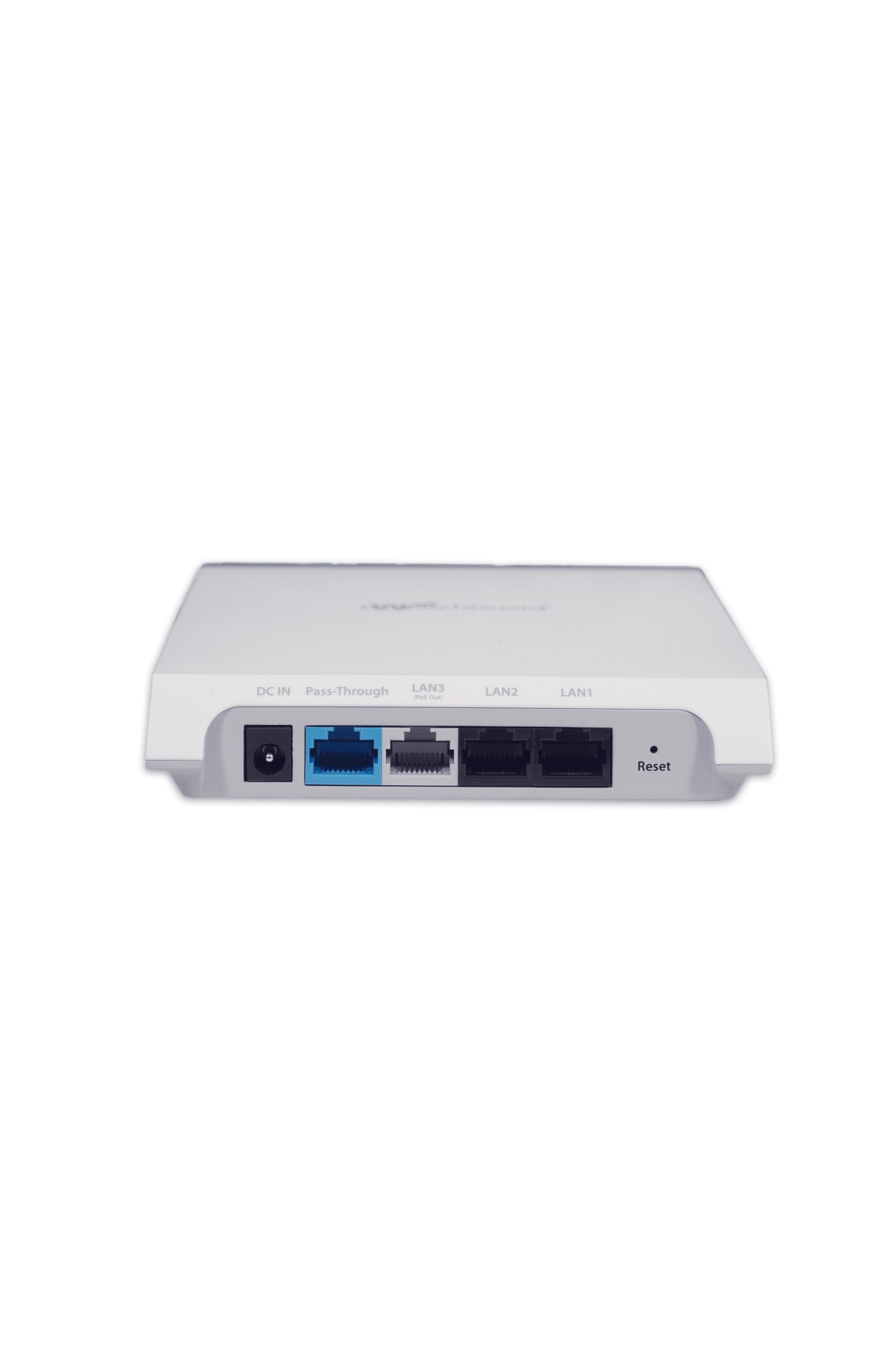
DC IN
Enables connecting to and powering the device using 12 V DC power
5.5mm overalldiameter/2.1mmcenter pin/hole
N/A
Ethernet(LAN3/PSE)
1 of 3 Gigabit Ethernet switch ports that can be used for wired extension of an SSID including optional VLAN tagging. This port also provides 802.3af output power (requires 802.3at PoE+ or DC input power)
RJ-45
10/100/1000 MbpsGigabit Ethernet
Ethernet(LAN2/LAN1)
2 of 3 Gigabit Ethernet switch ports that can be used for wired extension of an SSID including optional VLAN tagging
RJ-45
10/100/1000 MbpsGigabit Ethernet
Reset
Reset to factory default settings
Pin hole pushbutton
Hold down andpower cycle the device to reset
Operational Specifications
Input Power
12V DC/1.5A (3.5mm overall diameter/1.35mm center pin/hole)/802.3at (PoE+)/ 802.3af (PoE)
Number of Radios
3 Wi-Fi Radios: One 2.4 GHz and 5 GHz radio each for simultaneous dual band client access. Athird dual-band radio dedicated to non-access smart scanning; WIPS, RF optimization, RemoteTroubleshooting, and network assurance functions.
Max Clients Supported
512 clients per radio (dependent upon use cases)
MIMO
2x2 for 2.4/5GHz Radios
Number of Spatial Streams
2 for 2.4/5GHz Radios
RF Transmit Power
20 dBm per radio chain (max); Actual power for Tx will depend on Country Regulatory Doman
Medium-density high performance ideal for multi-dwelling units (MDU) structures such as dorm rooms, hotels, assisted living, and military housing units.